

AI chat history is quickly becoming a personal knowledge base. People now use ChatGPT, Claude, Gemini, and other AI assistants for research, coding, writing, planning, learning, business work, and everyday problem-solving. The problem is that a long chat history can become difficult to search, organize, preserve, or move between services.
An AI chatbot conversations archive solves that problem. Instead of treating every conversation as disposable chat history, you can preserve important discussions, export your data, organize it into a searchable structure, and keep an independent backup. This guide explains the difference between chat history, archiving, exporting, and backup, then compares practical preservation options for major AI assistants.
| Primary keyword: AI chatbot conversations archive | Search intent: informational + how-to + comparison + privacy |
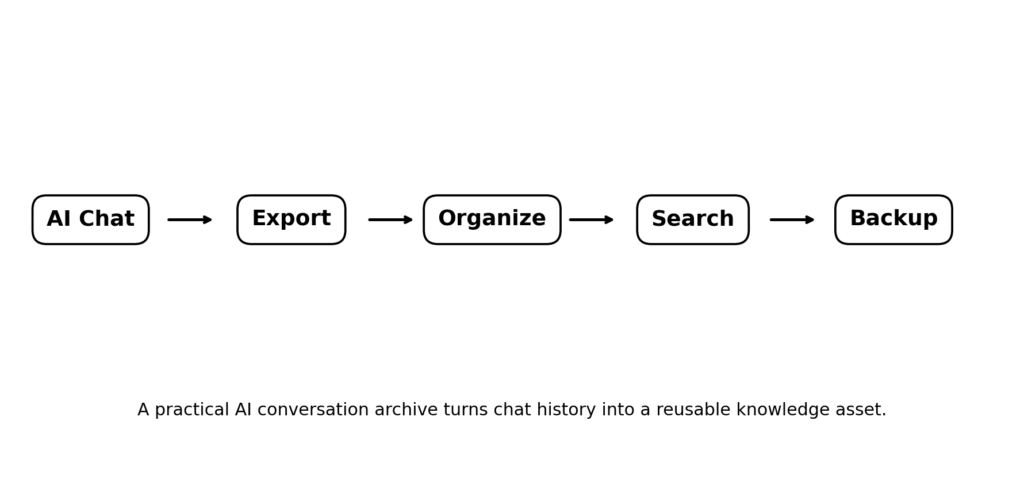
Figure 1. The AI conversation archive lifecycle: preserve → organize → retrieve → protect.
What Is an AI Chatbot Conversations Archive?
An AI chatbot conversations archive is a structured collection of saved conversations from one or more AI assistants. It can be as simple as exported files stored in folders, or as advanced as a searchable knowledge base that indexes conversations by topic, date, project, model, and metadata.
The key point is that an archive is not exactly the same thing as chat history. Chat history is the record you can access inside a provider’s interface. An archive is a preservation layer you control or deliberately manage. Export is the act of obtaining a copy of your data. Backup is an independent copy designed to protect you if the original service, account, or file becomes unavailable.
| Term | What it means | Main purpose | Typical example |
| Chat history | Conversations stored in the AI service | Continue or revisit chats | Sidebar/history |
| Archive | Conversations intentionally preserved and organized | Reduce clutter and retain useful work | Archived chat or local archive |
| Export | A copy of account/conversation data | Move or preserve data outside the service | ZIP/JSON/data archive |
| Backup | Independent copy stored separately | Recover from loss or account/service problems | External drive + cloud copy |
Why Should You Archive AI Conversations?
- Research: preserve explanations, sources, prompts, and reasoning you may need later.
- Work: retain project discussions, specifications, meeting preparation, drafts, and technical troubleshooting.
- Learning: build a personal library of explanations, examples, quizzes, and study notes.
- Writing and content: keep reusable outlines, drafts, research prompts, and editorial decisions.
- Programming: preserve debugging sessions, architecture discussions, code explanations, and implementation notes.
- Continuity: keep useful context when switching between AI providers or accounts.
- Privacy and control: know where your important conversations are stored and who can access your copies.
A useful archive should therefore optimize for three things: preservation, retrieval, and control. Saving a giant ZIP file and never being able to find anything inside it is technically a backup, but it is not a very useful knowledge system.
Archive vs. Export vs. Backup: Why the Difference Matters
These terms are often mixed together, but they solve different problems. Archiving usually keeps information available while reducing clutter. Exporting creates a copy outside the provider’s normal interface. A backup adds another independent copy so that a single account, service, device, or storage location is not your only source of truth.
| Best practice: Keep the provider’s history for convenience, an organized export for portability, and an independent backup for resilience. |
How to Archive ChatGPT Conversations
ChatGPT currently provides both an in-product archive option and a separate data-export process. OpenAI’s current help documentation says archived chats remain in the account and can be managed through Settings > Data controls > Archived Chats. Archiving hides clutter without deleting the conversation.
For retention planning, OpenAI states that chats remain saved until you delete them. Deleted chats are removed from the account immediately and are scheduled for permanent deletion from OpenAI systems within 30 days, subject to stated exceptions. Once deleted, a chat cannot be recovered through the normal interface.
How to Archive Claude Conversations
Anthropic provides a data-export workflow for Claude. Its current help documentation says individual Claude users and Team plan Primary Owners can export user information and chat history from Settings > Privacy on the web app or Claude Desktop. The export is delivered by email after processing, and the download link expires after 24 hours.
Claude also has a useful retrieval angle: Anthropic documents a past-chat search feature that is rolling out to supported plans. This allows users to ask Claude to find and reference relevant previous conversations. That is a retrieval feature, not the same thing as an independent backup, so users who need long-term portability should still consider exporting their data.
How to Archive Gemini Conversations
Gemini uses Google account activity controls and Google Takeout for data export. Google’s current Gemini help documentation explains that users can export Gemini Apps data through Google Takeout, including Gemini chats, generated media, and uploads. The archive can be delivered by email or added to services such as Drive, Dropbox, OneDrive, or Box, with ZIP or TGZ formats available.
Google also documents Gemini Apps Activity controls. When Keep Activity is on, chats and other shared content can be stored in the user’s activity. Google says the default auto-delete period is 18 months, with options to change it to 3 or 36 months or to disable auto-delete. When Keep Activity is off, future chats do not appear in Activity and are not used to train Google’s AI models, subject to Google’s stated exceptions; Google says such chats are still retained for up to 72 hours for service and safety purposes.
Google: Gemini Apps Privacy Hub — https://support.google.com/gemini/answer/13594961
Google: Manage and delete your activity in Gemini Apps — https://support.google.com/gemini/answer/13278892
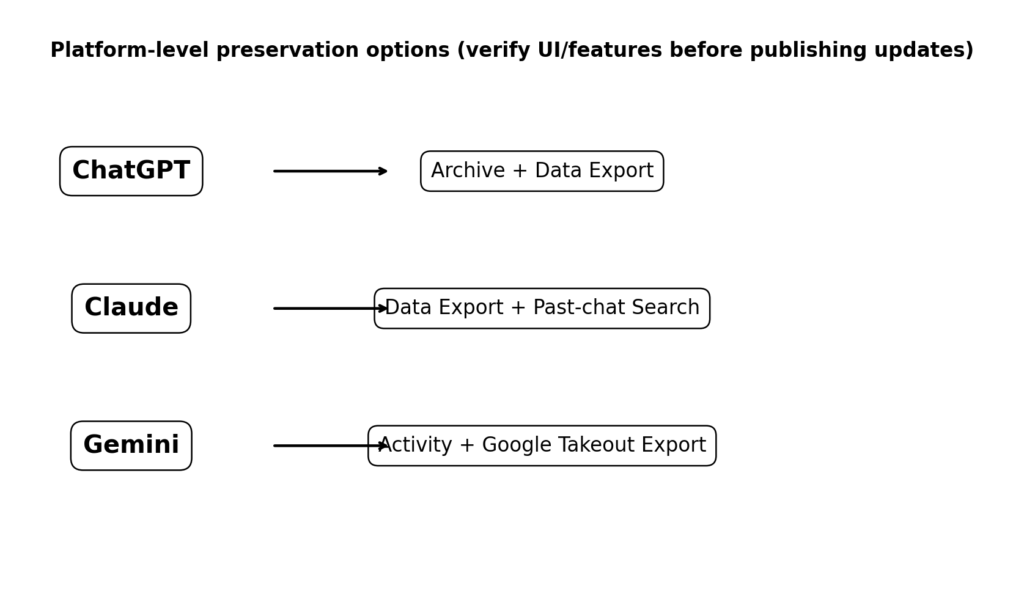
Figure 2. Current platform-level preservation paths. Features and interface labels can change, so verify the official documentation before publishing an updated version.
ChatGPT vs. Claude vs. Gemini: Conversation Archiving
| Platform | Built-in history/archive | Independent export | Useful retrieval angle |
| ChatGPT | Archive chats; manage archived chats | Data export via Settings/Privacy Portal | Account history + export |
| Claude | Conversation history; past-chat search on supported plans | Data export from Settings > Privacy | Past-chat search |
| Gemini | Recent chats + Gemini Apps Activity | Google Takeout export | Activity/history controls |
This table is intentionally framed around documented capabilities rather than a permanent feature score. AI products change quickly, so an editorial site should re-check the linked first-party documentation whenever the article is updated.
What Should an AI Conversation Archive Store?
A useful archive should preserve more than plain text when the export makes additional information available. Depending on the platform and export format, useful fields can include conversation content, timestamps, conversation identifiers, model information, attachments, links, and other metadata.
A simple conceptual structure looks like this:
Conversation
├── User messages
├── AI responses
├── Timestamp
├── Conversation ID
├── Model / provider
├── Attachments
├── Source links
└── Metadata
Which File Format Is Best?
- JSON: best for structured data, automation, indexing, and developer workflows.
- Markdown: excellent for human-readable notes, version control, and simple search.
- HTML: useful when you want a browser-friendly rendering of a conversation.
- PDF: useful for fixed, shareable records, but less convenient for automated search.
- ZIP/TGZ: packaging formats rather than conversation formats; they are useful for transporting a larger export.
There is no single best format for every use case. A practical long-term archive can keep the original export untouched and create a second, normalized copy for search and reading.
How to Build a Searchable AI Chat Archive
Once an archive grows beyond a few dozen conversations, folder names alone become limiting. A better system adds consistent metadata and search.
- Keep the original export unchanged as your source copy.
- Create a normalized copy for reading and indexing.
- Assign a stable filename using date, provider, project, and topic.
- Extract useful metadata such as date, title, provider, model, and project.
- Index the text so keyword search can find individual conversations or message fragments.
- Optionally add semantic search so you can search by meaning rather than exact words.
- Keep a human-readable version alongside the machine-readable source.
For advanced users, the archive can become a personal retrieval system. A query such as “What did I decide about my website redesign last month?” can retrieve relevant passages from old conversations instead of forcing you to remember which chatbot contained the discussion.
AI Conversations as a Personal Knowledge Base
Research is beginning to treat real chatbot conversations as valuable interaction data. The 2025 ShareChat dataset contains 142,808 publicly shared conversations and more than 660,000 turns across ChatGPT, Claude, Gemini, Perplexity, and Grok. The dataset preserves platform-specific context such as source links and code artifacts, illustrating why a conversation archive can contain more than plain text.
Privacy: Are Archived AI Conversations Safe?
Privacy is one of the most important reasons to think carefully before building an AI conversation archive. Chatbots are often used for topics people would not normally publish publicly. A 2025 survey study of 300 US ChatGPT users found that 82% rated chatbot conversations as sensitive or highly sensitive, while many respondents reported discussing health and financial topics with ChatGPT.
A 2026 study of donated ChatGPT histories from more than 1,000 users in Brazil, India, Nigeria, and Pakistan also reported substantial personal-information disclosure and showed that AI systems can infer personal characteristics from conversation patterns even when explicit demographic statements are absent. This is a strong reminder that removing an obvious name or email address does not necessarily make a conversation anonymous.
Another 2026 measurement study examined tracking across 20 popular AI chatbots and reported third-party sharing of information in many tested environments. Findings like these do not mean every chatbot or every configuration behaves identically; they reinforce the need to inspect provider privacy controls and avoid placing highly sensitive material into an archive without a clear protection strategy.
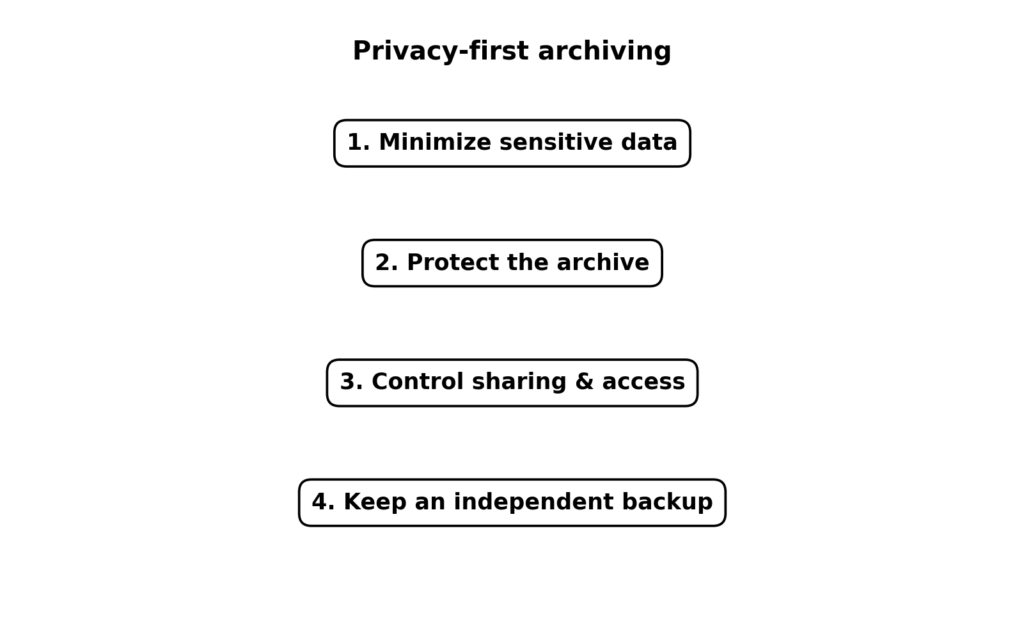
Figure 3. A privacy-first approach to AI conversation archiving.
How to Protect an AI Conversation Archive
- Do not store passwords, authentication secrets, payment credentials, or private keys in an archive.
- Remove or redact unnecessary personal information before sharing an exported conversation.
- Use strong account security and multi-factor authentication where available.
- Protect local archives with device encryption and appropriate file permissions.
- Do not place a sensitive archive in a shared cloud folder unless access is deliberate.
- Keep at least one independent backup if the archive is important.
- Separate highly sensitive material from ordinary research conversations when practical.
- Review third-party archive tools carefully before granting them access to your AI accounts.
What About Reddit and YouTube Research?
Reddit and YouTube are useful research inputs, but they should not be treated as replacements for official documentation. Community posts are excellent for discovering real user problems: missing chats, confusing export flows, search limitations, unexpected retention behavior, and practical organization methods. YouTube is useful for seeing real interfaces and workflows.
For a high-quality article, use this source hierarchy: first-party documentation for product facts; academic papers for privacy and research claims; government or legal sources for regulatory claims; reputable journalism for current events; and Reddit/YouTube for user experiences and question discovery. This approach keeps the article useful without turning community anecdotes into universal technical facts.
A Practical Archive Folder Structure
AI-Chat-Archive/
├── 00-original-exports/
│ ├── chatgpt/
│ ├── claude/
│ └── gemini/
├── 01-normalized/
├── 02-projects/
├── 03-research/
├── 04-writing/
├── 05-coding/
└── 99-backups/
Keep the original export separate from edited or normalized files. That makes it possible to rebuild your searchable archive later if your parsing method changes.
SEO Keyword Map for This Topic
| Keyword cluster | Intent | Recommended section |
| ai chatbot conversations archive | Informational + broad | Introduction / definition |
| AI chat history backup | How-to | Backup section |
| archive ChatGPT conversations | How-to | ChatGPT section |
| ChatGPT export chat history | How-to | ChatGPT export |
| Claude export conversations | How-to | Claude section |
| Gemini chat history export | How-to | Gemini section |
| AI conversation privacy | Informational | Privacy section |
| search old AI conversations | Problem-solving | Searchable archive |
| AI conversation storage | Informational | Formats / architecture |
| AI chat archive | Broad informational | Definition / comparison |
On-Page SEO Recommendations
- Use the exact primary keyword naturally in the title, H1, introduction, one relevant H2, and meta description.
- Cover related terms through useful sections rather than repeating the primary keyword.
- Use descriptive image captions and meaningful alt text when publishing to the web.
- Link directly to first-party documentation where a product feature is discussed.
- Add an author byline, publication date, and clearly visible last-updated date.
- Keep the article current because AI product interfaces and retention policies change.
- Add internal links to related pages about ChatGPT, Claude, Gemini, AI privacy, data backup, and knowledge management.
- Use a concise FAQ section based on real search questions, not keyword stuffing.
Suggested Title, Meta Description, and URL
| SEO Title: AI Chatbot Conversations Archive: How to Save, Export, Search & Protect AI Chats |
Meta description: Learn how to archive AI chatbot conversations, export ChatGPT, Claude and Gemini chats, organize your history, search old conversations, and protect your data.
Suggested URL: /ai-chatbot-conversations-archive/
Frequently Asked Questions
What is an AI chatbot conversations archive?
It is a structured collection of saved AI conversations that can be preserved, organized, searched, and backed up independently of normal chat history.
How do I archive AI conversations?
Use the provider’s built-in archive feature when available, then export important data and keep an independent copy for long-term preservation.
Can I export my ChatGPT conversations?
Yes. OpenAI currently documents data export through ChatGPT Settings > Data controls and through its Privacy Portal.
Can I export Claude conversations?
Yes. Anthropic currently provides a data-export workflow through Settings > Privacy on the web app or Claude Desktop for eligible accounts.
Can I export Gemini conversations?
Yes. Google provides a Gemini Apps data export workflow through Google Takeout.
What is the difference between archiving and exporting?
Archiving normally keeps a conversation in the provider while reducing clutter. Exporting creates a copy of your data outside the normal chat interface.
Should I keep a local backup of AI chats?
If the conversations are important, an independent backup is sensible because it reduces dependence on a single account or service.
Are archived AI conversations private?
Privacy depends on the provider, account settings, storage location, and who can access the archive. Treat exported conversations as potentially sensitive data.
What file format is best for an AI archive?
Keep the original provider export, then create a searchable normalized format such as Markdown or structured JSON when appropriate.
Can deleted AI conversations be recovered?
Do not assume they can. For example, OpenAI states that deleted ChatGPT chats cannot be recovered through the normal interface, so important conversations should be exported before deletion.
[…] AI Chatbot Conversations Archive: How to Save, Export, Search, Organize, and Protect AI Chats […]