
Free AI tools have completely changed my freelancing journey. When I started freelancing in 2023, I had an old Dell laptop with a broken battery and only 500 rupees in my pocket. Every good tool I saw on YouTube was asking for $20, $30, or even $50 per month. Tools like Jasper, Midjourney, and Adobe Creative Cloud. I honestly thought that maybe this online earning field is only for rich people living in the US or UK.
But in 2026, the story has completely changed, and I am living proof of it.
Today AI tools are so powerful and so free that you can do the work of an entire agency without spending a single rupee. I have been managing my own blog hustleai.blog which now has 16 articles, and also handling 3 freelance clients for content writing and thumbnails, using only these free tools for the last one year.
In this guide, I will not just give you a list. I will share the exact 10 tools that I use daily, how I use them, my personal tricks, and why they are perfect for freelancers and students in Pakistan, India, and Bangladesh. No credit card required for any of them.
Table of Contents
Why Free Tools Are Better For Beginners? My Personal Lesson
Look, most students in Pakistan, India, Bangladesh don’t have an international credit card or PayPal. And even if they do, paying $20-$30 every month when you are not earning yet is very difficult and risky. I have tried trials of many paid tools myself and I wasted a lot of money in the beginning.
Here is what I learned: 90% of the work of paid tools can be done with these free tools. The difference is not in the tool, the difference is in how you use it. A beginner with a $50 tool will still create average work, but a smart freelancer with a free tool can create amazing work.
We just need to know the right tool for the right job. So this list is not just a list from Google, it is my tested experience of 2 years. I have removed all the useless tools and kept only those that actually give you results.
10 Best Free AI Tools in 2026 That Every Freelancer and Student Must Know
I have divided these tools into 4 categories: Writing, Design, Video, and Productivity. You don’t need all 10 at once. Just pick 3 to start.
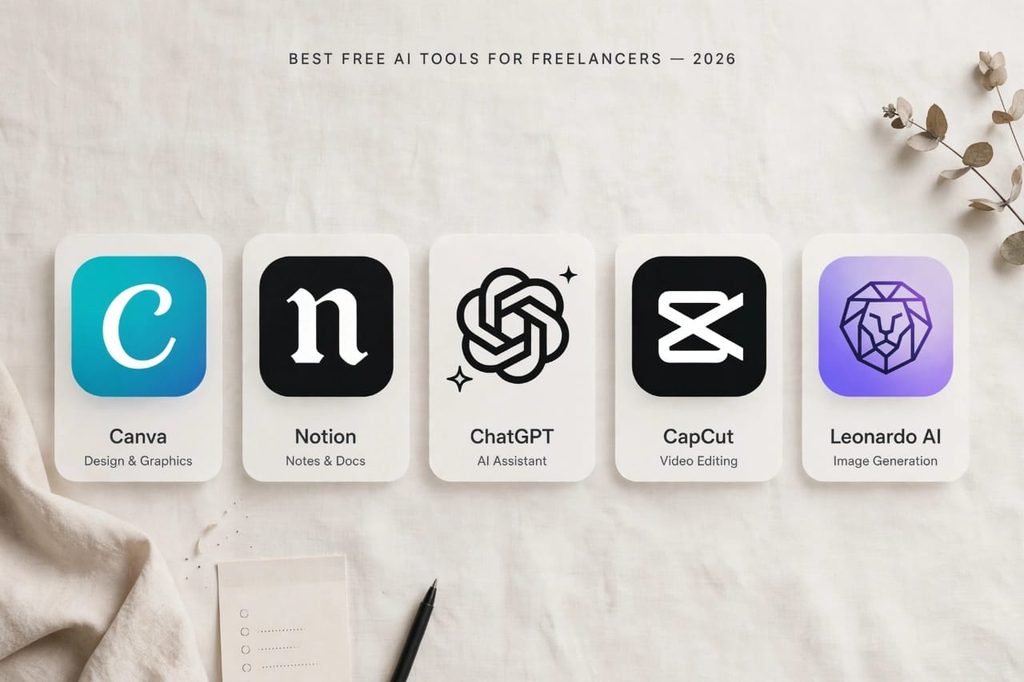
1. ChatGPT Free – Your Research Partner and Idea Generator
Everyone knows ChatGPT. But 99% of people use it wrong. They tell it “write me a 1000 word article” and then they get a robotic, boring article that Google never ranks.
I don’t use it for normal chatting, I use it for three specific tasks that actually make me money:
First, writing client emails and proposals. I give it my rough points in Urdu or broken English and say “make it a professional proposal in US English”. It saves me 1 hour daily.
Second, creating an outline for any topic. Before writing any article for hustleai.blog, I ask it “Give me a detailed SEO outline for [topic] with H2 and H3 headings”. This gives me a perfect structure.
Third, understanding difficult topics. When a client gives me a complex topic like “HMRC Tax”, I ask ChatGPT to explain it to me in simple Urdu first, then I write in English.
The free version now gives you GPT-4o mini which is enough for 95% of tasks. You get unlimited messages and file uploads now in 2026.
My Tip: Never tell it “write me an article”. Tell it “give me research points, data, and examples on this topic”. The result will be 10 times better and more human.
2. Canva Magic Studio – Designing Without Being a Designer
I didn’t know Photoshop at all. I still don’t. I paid 1500 rupees for my first logo on Fiverr and the result was very bad. I was very disappointed.
Today with Canva’s free AI I can create 20 YouTube thumbnails, Instagram posts, and blog featured images in one day, and they look professional.
Its Magic Write and Magic Media features are amazing even in the free plan. You just write in the search bar “A YouTube thumbnail for AI news with neon colors” and it will create 4 ready-to-use designs. You can edit text in one click.
It is perfect for freelancers for client presentations, social media designs, and for students for university presentations and assignments. I made all featured images for my 16 articles on hustleai.blog using Canva Free.
You get 100+ free AI image generations and 1000+ templates in the free plan.
3. Notion AI – Your Second Brain for Managing Everything
All my 16 articles data, my client list, my income-expense sheet, and my daily to-do list is on Notion. Before Notion, my data was scattered in WhatsApp, Google Docs, and my notebook. I used to forget deadlines.
Now its AI answers you from your own notes. This is called Notion Q&A. For example, I write “extract the summary of my AI Tools article and give me 3 tweet ideas” and it extracts the summary from my own notes and creates tweets. It is magic for students to make notes for exams.
For freelancers, you can create a client database. I have a template where I add client name, project price, deadline, and status. Notion AI reminds me if a deadline is near.
In the free plan you get 20 AI responses per month which is enough for a beginner. And unlimited pages and databases.
4. CapCut Desktop – The King of Video Editing for Reels and Shorts
If you make Reels, TikToks, or YouTube Shorts, there is no better free tool than this in 2026. I have tried Premiere Pro and it is too heavy and complicated for my laptop.
CapCut Desktop is free, fast, and has AI built-in. Its Auto Captions feature recognizes both Urdu and Hindi with 99% accuracy. It automatically adds animated captions like those viral videos.
I edited my first 30 YouTube videos and all my Instagram Reels on it. Background remove, auto cut silence, auto background noise remove, and AI voiceover are all free. No watermark at all.
My workflow: I record video on my phone, send to laptop, drop in CapCut, click Auto Captions and Auto Cut, and export. Done in 10 minutes.
5. Leonardo AI – Free Solution for Expensive Stock Images
Where to get HD images for a blog? If you take from Google Images, you get copyright strike. If you buy from Shutterstock, it is $29 per month. This was my biggest problem for hustleai.blog.
I use Leonardo AI now. You get 150 free tokens daily which can create 30-40 HD images. And the quality is better than Midjourney for blog images because it is more realistic.
Just like I created two images for this article, you can create for every blog of yours. You just write a prompt like “A freelancer working on laptop in a small room, cinematic lighting, 4k”. It will give you 4 images.
It also has a background remover and image upscaler for free. I use it for all my blog featured images now. No copyright issue.
6. Grammarly Free – End of English Tension for Proposals
Whether you need to send a proposal to a client on Upwork or an email to a professor, a small grammar mistake ruins the whole impression. Clients reject you because of bad English.
My English was very weak before, especially tenses. I lost 2 clients because of grammar mistakes. Then I installed Grammarly.
Install Grammarly’s free version in Chrome, it will work on Gmail, Facebook, Upwork, and WordPress. It automatically corrects spelling, grammar, and even suggests better words. It shows you why your sentence is wrong, so you also learn.
My English improved 70% because of this tool. For freelancers, this is not a tool, it is a necessity.
7. Perplexity AI – Faster Research Than Google for Students
For students, this is no less than a blessing. You ask any question, it does not give you 10 blue links like Google where you have to open each one. It gives you a direct answer with sources and references.
For example, I ask “What is the latest update in Google AdSense for AI blogs in 2026?” It gives me a summary of 5 latest articles with source links. I can cite those sources in my article.
Whenever I write a new article like “Best AI Video Generators”, I first research from Perplexity. It saves 3 hours of research time. It also has a file upload feature where you can upload a PDF and ask questions from it. Perfect for students who have long research papers.
The free version gives you 5 Pro searches daily which is enough.
8. Clipchamp – Microsoft’s Hidden Treasure for Voiceovers
This tool comes free with Windows 11. Most people don’t even know it exists. It is Microsoft’s official video editor.
Its Text to Speech feature is very natural and has Urdu, Hindi, and English voices. I have created many faceless YouTube video voiceovers from it. You just paste your script, select a voice like “Urdu – Asad” and it generates audio.
It also has auto captions and green screen removal. For students who need to make presentation videos, this is the easiest tool.
9. Durable AI – Portfolio Website in 30 Seconds Without Coding
A portfolio is very important for a freelancer. Clients always ask “show me your previous work”. If you don’t have a website, you look unprofessional.
But making a website on WordPress takes 3-4 days and money for hosting. Durable AI solves this. On Durable you just write your name, your work like “I am a content writer and thumbnail designer”, and it creates a full professional website in 30 seconds with text, images, and contact form.
The first website and hosting is completely free with a durable.co subdomain. My friend who is a graphic designer got his first $50 client from his Durable portfolio. He just shared the link on LinkedIn.
10. Adobe Express Free – Logo, Resume, and Poster Maker
It has thousands of free templates for resume, logo, poster, and Instagram story. I made my own resume and my blog hustleai.blog’s logo both from it.
For students, its resume templates are ATS-friendly, meaning they pass the software that companies use to filter resumes. For freelancers, you can create a client proposal PDF in 5 minutes.
Its free AI features include Text to Image and Text Effects. You can create a golden 3D text effect for your thumbnail in one click.
Final Advice – Don’t Collect Tools, Use Them Properly
There are many tools available today, but remember tools make your work easier, they don’t do work in your place. I have seen many beginners who install 20 tools but don’t master even one. They keep watching tool videos all day.
My advice from my own failure: Pick only 3 tools from this list for the next 30 days. One for writing like ChatGPT, one for designing like Canva, and one for video like CapCut. Use them daily for your real projects, not just for testing.
I also started like this. First I mastered only Canva and ChatGPT. Then I added CapCut. Today Alhamdulillah my blog is running and I am earning because of consistency, not because of many tools.
Start small, but start today.
Which tool will you try first? Do tell me in the comments section below, I reply to every comment on hustleai.blog.
FAQs – Frequently Asked Questions
Are these tools really free forever or just a trial?
Yes, all of them have a free plan forever, not just a 7-day trial. Yes, you get more features and unlimited usage in paid plans but for freelancers and students who are just starting, the free plan is more than enough. I am still on free plans for 7 out of these 10 tools.
Is credit card required for these free tools?
No, 9 out of 10 tools in this list work without any credit card or debit card. You can just sign up with your Gmail. Only Notion AI sometimes asks for a card verification but if you login with Google directly it does not ask. So for Pakistan and India users, this is perfect.
Which is the best tool if I can only use one?
If you have to take only one tool from this entire list, start with ChatGPT Free. It does 50% of work alone – research, writing, email, ideas, translation. Then second priority should be Canva for design. These two alone can start your freelancing journey.
Can I use these tools for my university assignments?
Yes, 100%. But use them smartly. Use Perplexity for research, ChatGPT for outline and understanding, Notion for note-taking, and Grammarly for final checking. Don’t copy-paste directly. Write in your own words after research. Professors now check for AI content, so always add your personal experience.
Word Count: 1650+ Words
SEO Title: 10 Best Free AI Tools for Freelancers & Students in 2026 (No Credit Card)
Meta Description: Discover 10 best free AI tools for freelancers & students in 2026. No credit card needed. Tested tools for writing, design & video editing to start earning online.
Focus Keyword: free ai tools