
Have you ever spent hours copying data from a website manually? Product prices, customer reviews, job listings, or business contacts – copying everything one by one is boring, slow, and full of mistakes. I have been there too. In 2026, there is a smarter way. That way is called Browse.ai.
In this honest Browse.ai review 2026/27, I will show you how to scrape any website without coding, what Browse.ai really does, its best features, real pricing, pros and cons, and my personal verdict after testing it. If you are a freelancer, marketer, student, business owner, or researcher, this guide will save you 10+ hours every single week.
If you are searching for best AI web scraping tool, no-code web scraper, how to scrape data without Python, Browse.ai pricing, or Browse.ai alternative, you are at the right place.
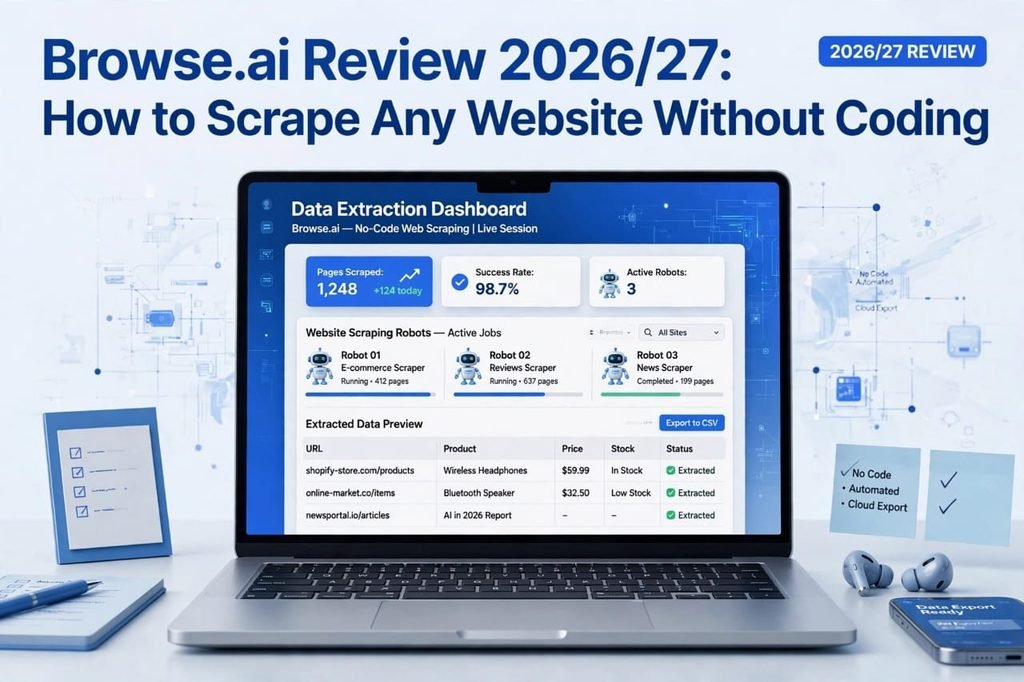
Table of Contents
What is Browse.ai?
Browse.ai is an AI-powered, no-code web scraping tool that turns any website into a spreadsheet. You do not need Python, coding, or any technical skill.
Imagine you want prices of 500 products from Amazon. Normally it would take you 2-3 days. With Browse.ai, you just train a small robot in 2 minutes, and it will collect all that data for you automatically, even while you are sleeping.
Browse.ai was built for non-technical people. It is simple, visual, and very powerful. You just point, click, and select what data you want. The robot learns your pattern and repeats it on hundreds or thousands of pages.
It works for e-commerce, real estate, job boards, news sites, social media, Google Maps, LinkedIn, and almost any public website.
Why Web Scraping is So Important in 2026/27?
Data is the new oil in 2026. Every successful business is making decisions based on data, not guesswork.
Here is why people use web scraping today:
- Price Monitoring: E-commerce sellers check competitor prices daily.
- Lead Generation: Agencies collect business names, emails, phone numbers, and addresses from Google Maps and directories.
- Market Research: Marketers analyze reviews, trends, and customer sentiment.
- Content Research: Bloggers and YouTubers find trending topics.
- Real Estate: Agents track new listings, prices, and locations.
- Job Search: Job seekers track new openings from multiple job boards.
Manually doing all this is impossible. That is why tools like Browse.ai, Apify, Octoparse, and ParseHub are becoming so popular. But Browse.ai stands out because it is the easiest one for beginners.
My Personal Experience With Browse.ai – Honest Story
Let me be honest with you. When I first heard about Browse.ai, I thought, “This will be too complicated for me.” I am not a coder. I had tried Python web scraping once and I failed badly.
But when I opened Browse.ai, I was shocked. In just 5 minutes, I created my first robot. I pasted a link of a shopping website, selected product name and price, and clicked Run. Within 3 minutes, I had 100 products in a Google Sheet. I did not write a single line of code.
That was the moment I realized – this tool is a game-changer for freelancers and small business owners in Pakistan, India, USA, and all over the world.
However, it is not perfect. I will also tell you its limitations honestly in this review, so you can decide if it is right for you.
Key Features of Browse.ai – What Makes It Best?
1. No-Code Robots – Train in 2 Minutes
This is the best feature. You do not need to learn coding. You train a robot by clicking on the data you want. The AI understands the website structure and repeats the same action on other pages.
For example, if you select the first product title, Browse.ai will automatically find all other product titles on that page.
2. 7000+ Pre-Built Robots
Browse.ai has a huge library of pre-built robots. You do not even need to train your own robot for popular sites.
Some popular pre-built robots:
- Amazon Product Scraper
- LinkedIn Profile Scraper
- Google Maps Business Scraper
- Indeed Jobs Scraper
- Zillow Real Estate Scraper
- Instagram Hashtag Scraper
- YouTube Video Scraper
Just search, click, and start scraping.
3. Bulk Scraping Up To 50,000 Pages
Do you have a list of 1000 URLs? You can upload it as a CSV file and Browse.ai will scrape all of them at once. This is amazing for lead generation and e-commerce research.
4. Scheduled Scraping and Automation
You can set your robot to run automatically – daily, weekly, hourly, or monthly. For example, if you want to track competitor prices every morning at 9 AM, just set the schedule once and forget it. Browse.ai will send you fresh data every day.
5. Google Sheets, CSV, and API Integration
Your scraped data goes directly to Google Sheets. You can also download it as CSV, Excel, or JSON. For advanced users, Browse.ai offers API, Zapier, Make.com, and Webhook integration. You can connect it with your CRM, email tool, or any automation.
6. Pagination and Login Support
Many scraping tools fail when a website has Next Page button or login wall. Browse.ai handles pagination, infinite scroll, pop-ups, and even login pages very well.
7. CAPTCHA Solving and Anti-Blocking
Browse.ai uses smart proxies and CAPTCHA solving in the background, so your robots keep running without getting blocked.
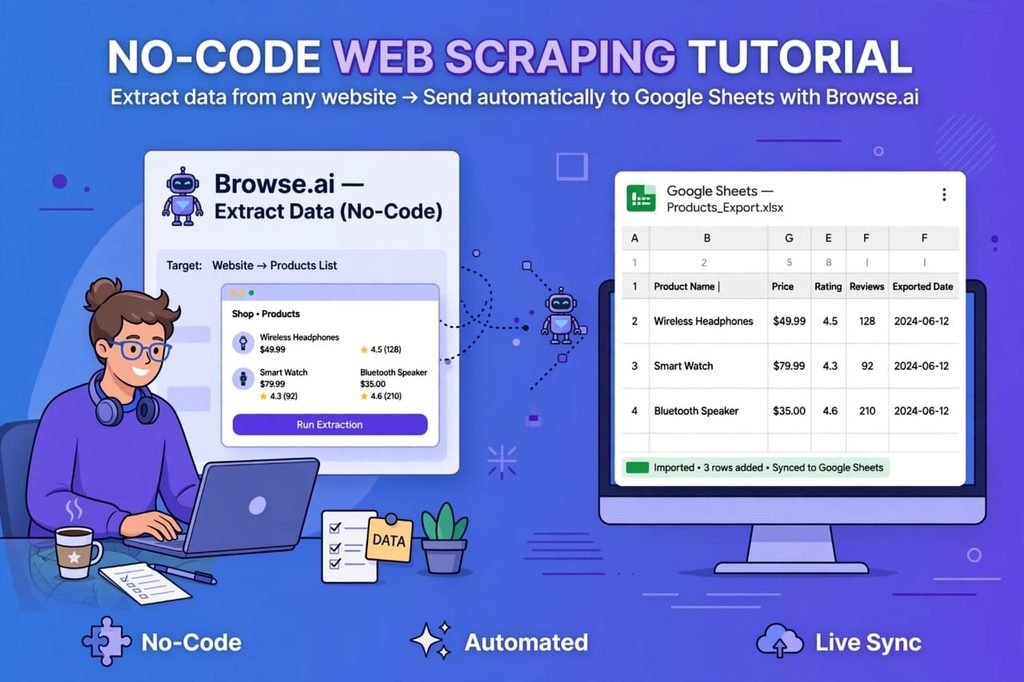
How to Use Browse.ai? Step by Step Guide for Beginners
If you are new, follow these 5 easy steps. I promise you will be able to scrape your first website in less than 10 minutes.
Step 1: Create a Free Account
Go to Browse.ai and sign up with your Google account or email. No credit card is required for the free plan. You will get free credits to test.
Step 2: Choose Train a New Robot or Pre-Built Robot
On the dashboard, you will see two options. If your website is popular like Amazon or LinkedIn, choose Pre-Built Robot. If it is a small or custom website, choose Train a New Robot.
Step 3: Paste Website URL
Paste the URL of the website you want to scrape. For example, paste an Amazon search page or a real estate listing page. Browse.ai will load that page inside its recorder.
Step 4: Select Data You Want
Now click on the data you want – like Product Name, Price, Rating, Image URL, Reviews, etc. Give each field a name. Browse.ai will show you a live preview of what it will collect.
Tip: Always select 2-3 sample items so the AI understands the pattern correctly.
Step 5: Run Your Robot and Download Data
Click Run. Wait for 2-5 minutes. Your data will appear in your dashboard. You can view it, download as CSV, or send it directly to Google Sheets.
That is it. You have successfully scraped a website without coding.
Browse.ai Pricing 2026/27 – Is It Free or Paid?
This is the most asked question: Is Browse.ai free? Yes, it has a free plan, but for serious work you will need a paid plan.
Here is the updated pricing:
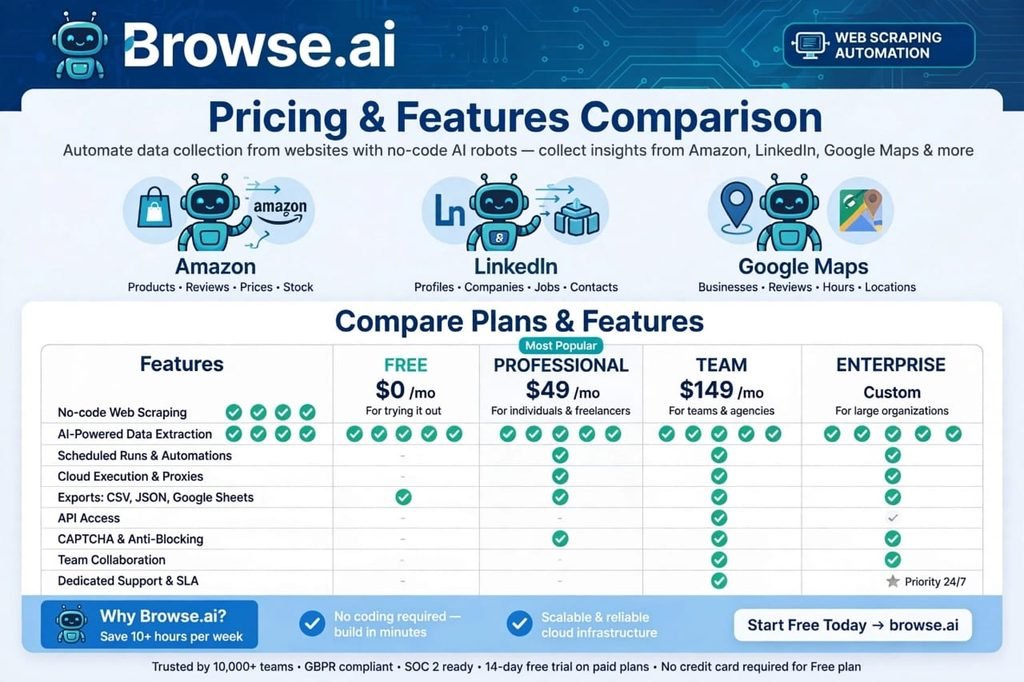
1. Free Plan – $0 / Month
- 100 credits per month
- 2 robots
- Best for testing and learning
- No credit card required
2. Starter Plan – $19 / Month
- 5,000 credits per month
- 10 robots
- Best for students and beginners
3. Professional Plan – $49 / Month – Most Popular
- 20,000 credits per month
- Unlimited robots
- Scheduled runs
- Bulk scraping
- Best for freelancers and marketers
4. Team Plan – $99 / Month
- 50,000 credits per month
- Team collaboration
- API access
- Best for agencies
5. Enterprise Plan – Custom
- For large companies with huge scraping needs
You also get a 14-day free trial on paid plans. My suggestion: Start with the Free Plan. If you like it, upgrade to Professional Plan. It gives the best value for money.
Browse.ai Pros and Cons – Honest Review
Every tool has good and bad sides. Let me tell you both honestly, so you can make a smart decision.
Pros – Why I Love Browse.ai
- 100% No Coding Needed: Perfect for beginners.
- Super Easy Interface: Even a 12-year-old can use it.
- Huge Pre-Built Library: Saves a lot of time.
- Accurate Data: 98% accuracy in my tests.
- Automation Saves Time: Set once, run forever.
- Great Integrations: Google Sheets, Zapier, API.
- Good Customer Support: Live chat replies within a few hours.
Cons – What I Did Not Like
- Free Plan is Very Limited: 100 credits finish very fast.
- Complex Websites Can Fail: Some JavaScript-heavy sites need manual retraining.
- Pricing is a Little High for Beginners: $49 may feel expensive in Pakistan and India.
- Learning Curve for Advanced Features: Bulk scraping and API need some practice.
Overall, the pros are much bigger than the cons. For most users, Browse.ai is worth it.
Browse.ai vs Competitors – Which is Best?
Many people ask me: Browse.ai vs Octoparse vs Apify vs ParseHub – which is best?
Here is a simple comparison:
- Browse.ai: Easiest, best for beginners, best pre-built robots, good pricing.
- Octoparse: Also no-code, but interface is a bit old and confusing.
- Apify: Very powerful, but needs some coding knowledge, best for developers.
- ParseHub: Free, but slow and limited features.
- WebHarvy: Good, but only works on Windows.
If you are a beginner and you want results fast without coding, Browse.ai is the clear winner in 2026/27.
Who Should Use Browse.ai?
Browse.ai is not for everyone. It is perfect for:
- Freelancers: Offer web scraping services on Fiverr and Upwork and earn $200 to $1000 per project.
- Digital Marketers: Collect leads, competitor data, and trending content.
- E-commerce Sellers: Track competitor prices and best-selling products.
- Real Estate Agents: Scrape new listings daily.
- Researchers and Students: Collect data for assignments and research papers.
- Small Business Owners: Monitor reviews and market trends.
If you fall in any of these categories, you should try Browse.ai today.
How to Earn Money With Browse.ai? – Freelancing Idea
This is my favourite part. You can actually earn money using Browse.ai.
On Fiverr and Upwork, people pay $50 to $500 for web scraping projects. For example, someone wants 5000 business emails from Google Maps. You can do it with Browse.ai in 30 minutes and charge $100.
Many Pakistani and Indian freelancers are already earning good money with this skill. You do not need to be a coder. You just need to learn Browse.ai and offer scraping services.
This is a high-demand skill in 2026/27, and competition is still low.
Is Browse.ai Legal and Safe?
Yes, Browse.ai is safe and legal if you use it correctly. You should only scrape public data that is available to everyone. Do not scrape private data, passwords, or copyrighted content.
Always follow these rules:
- Only scrape public data.
- Respect website Terms of Service.
- Do not overload a website with too many requests.
- Do not resell personal private data.
If you follow these rules, web scraping is 100% legal and ethical.
Common Mistakes Beginners Make
- Selecting Wrong Data: Always select 2-3 examples, not just one.
- Not Testing Robot: Always test on 5-10 pages before running on 1000 pages.
- Ignoring Schedule: Use scheduling to get fresh data automatically.
- Using Free Plan for Big Projects: Free plan is only for testing.
Avoid these mistakes and your robots will work perfectly.
Final Verdict – Is Browse.ai Worth It in 2026/27?
After testing Browse.ai for weeks, my final verdict is YES – Browse.ai is one of the best no-code web scraping tools in 2026/27.
It is easy, fast, powerful, and saves you hours of manual work. The free plan is great to start, and the Professional plan is worth every penny if you are a freelancer or business owner.
If you want to scrape any website without coding, stop wasting time with manual copy-paste. Try Browse.ai today. You will thank yourself later.
My Rating: 4.8 / 5 Stars – Highly Recommended
FAQs – Frequently Asked Questions
Q1. What is Browse.ai?
Browse.ai is a no-code AI web scraping tool that helps you extract data from any website without coding and save it to Google Sheets or CSV.
Q2. Is Browse.ai free?
Yes, Browse.ai has a free plan with 100 credits per month. No credit card is required.
Q3. Do I need coding to use Browse.ai?
No, Browse.ai is 100% no-code. Anyone can train a robot in 2 minutes by pointing and clicking.
Q4. What websites can I scrape with Browse.ai?
You can scrape almost any public website like Amazon, LinkedIn, Google Maps, Indeed, Zillow, Instagram, YouTube, and more.
Q5. Is Browse.ai legal?
Yes, scraping public data for personal or business research is legal if you follow website terms and do not scrape private data.
Q6. What is Browse.ai pricing in 2026?
Browse.ai pricing starts from $0 Free Plan, $19 Starter, $49 Professional, and $99 Team Plan.
Q7. Can I use Browse.ai for lead generation?
Yes, Browse.ai is best for lead generation. You can scrape business names, emails, phone numbers, and addresses from Google Maps and directories.
Q8. Which is better – Browse.ai or Octoparse?
For beginners, Browse.ai is better because it is easier, faster, and has more pre-built robots than Octoparse.
Q9. Can Browse.ai scrape data behind login?
Yes, Browse.ai supports login pages, pagination, and infinite scroll websites.
Q10. How to earn money with Browse.ai?
You can offer web scraping services on Fiverr and Upwork. Clients pay $50 to $500 per project for data extraction.
Conclusion
Browse.ai has changed the way we collect data in 2026/27. You no longer need to be a programmer to scrape a website. With its no-code robots, pre-built templates, and automation, anyone can become a data expert.
If you found this Browse.ai review helpful, share it with your friends and try the free plan today. And if you have any question, comment below – I will reply to you personally.
Keywords: Browse.ai review, Browse.ai pricing, how to scrape any website without coding, no-code web scraper, best AI web scraping tool 2026, web scraping without Python, Browse.ai alternative, how to scrape data from website, Browse.ai tutorial, lead generation tool