
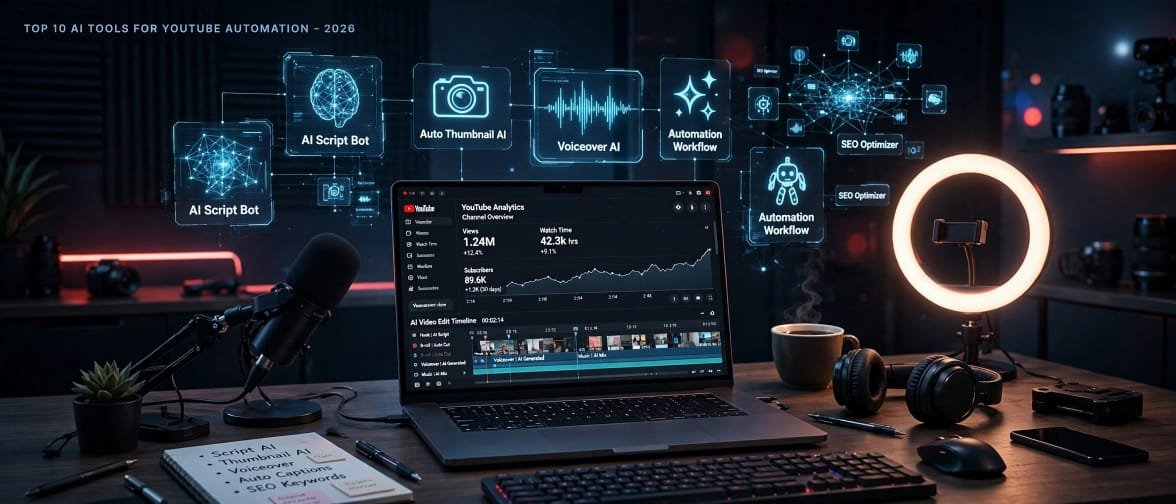
Meta Description: Discover the top 10 AI tools for YouTube automation in 2026/27. Automate scripting, voiceover, editing, thumbnails, and SEO to grow your faceless channel faster.
Introduction
If you have ever dreamed of running a YouTube channel without showing your face, without spending 10 hours editing one video, and without hiring a big team, then you are in the right place.
Welcome to the world of YouTube Automation.
In 2026 and 2027, YouTube automation is not just a trend anymore. It has become a real business model. Thousands of creators are now using AI tools to research ideas, write scripts, generate realistic voiceovers, create videos, design thumbnails, and even optimize their titles for search. One person with the right AI stack can now do the work of a 5-person team.
But here is the honest truth that most gurus will not tell you: AI tools will not make you rich overnight. They will save you time, but you still need a good niche, consistent uploads, and a human touch. AI is your assistant, not your replacement.
In this detailed guide, I have tested and compared the top 10 AI tools for YouTube automation in 2026/27. I will share the positives, the negatives, the pricing, and who should use each tool. By the end, you will know exactly which tools to pick for your faceless channel.
Let us start.
Table of Contents
What Is YouTube Automation?
YouTube automation means using AI tools and systems to run a YouTube channel with minimal manual work. Instead of doing everything yourself, you automate the repetitive parts.
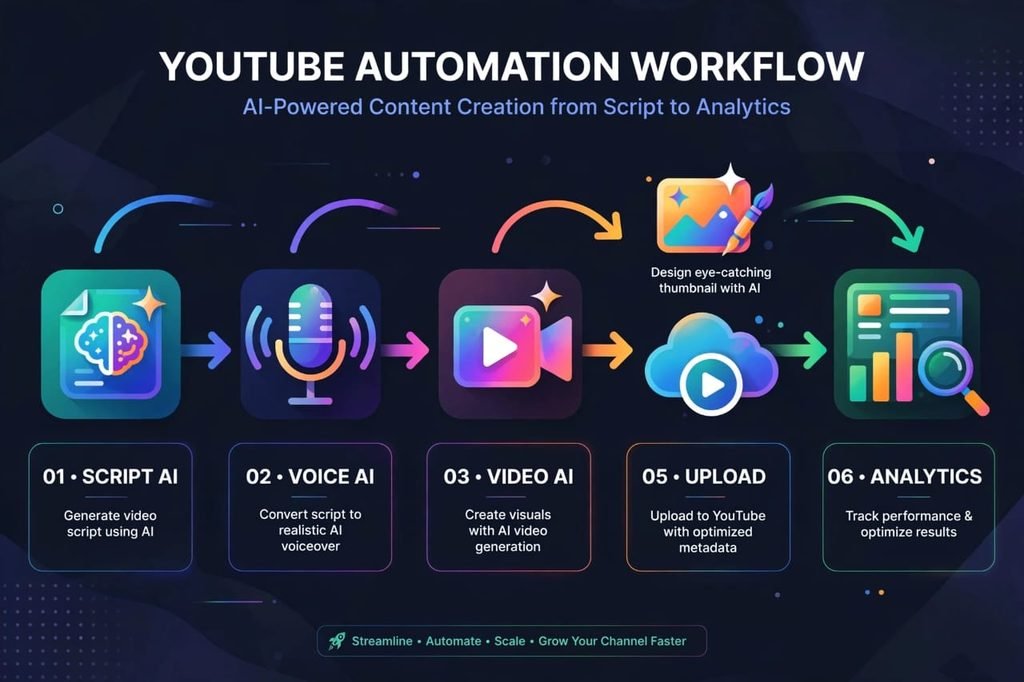
A typical automated workflow looks like this:
- AI finds a viral video idea
- AI writes a full script
- AI converts script into a human-like voiceover
- AI creates video with stock footage, animations, or avatars
- AI designs a high CTR thumbnail
- AI writes SEO title, description, and tags
- You review, upload, and publish
You still stay in control. You decide the niche, you approve the script, and you check the final quality. That is why the best channels in 2026 are not 100% AI. They are 80% AI + 20% human creativity.
How To Choose The Right AI Tool For YouTube Automation?
Before we go to the list, you need to understand one thing. Do not buy all 10 tools at once. That is the biggest mistake beginners make. They spend $200 per month on tools and earn $0.
Start with only 3 tools:
- One tool for Script + Voice
- One tool for Video Creation
- One tool for SEO + Thumbnails
Once your channel starts making money, you can add more tools.
Now, here is the complete list.
1. Pictory AI – Best For Faceless Video Creation
Pictory is one of the most popular tools for YouTube automation, especially for faceless channels. You just paste your script, and Pictory automatically turns it into a full video with stock footage, captions, music, and voiceover.
Positives:
It is extremely easy for beginners. You do not need any editing skills. It has a huge library of stock videos and images. It automatically adds captions which increases watch time. It can turn long blog posts into short YouTube videos in minutes.
Negatives:
The stock footage can sometimes feel repetitive if you create many videos in the same niche. The free plan is very limited. For high-quality storytelling videos, you will still need to manually change some clips.
Best For: News channels, finance channels, motivation channels, and top 10 list videos.
Pricing: Starts around $19 per month.
My Verdict: If you are a complete beginner and want to start a faceless channel today, Pictory is the safest choice.
2. InVideo AI – Best For Quick Text-to-Video
InVideo AI is a powerful text-to-video generator. You just type a prompt like “Make a 5-minute video on 5 AI tools to make money” and it creates the full script, voiceover, visuals, and music automatically.
Positives:
It is very fast. You can create a full video in 10-15 minutes. It has 5000+ templates. It supports 50+ languages, which is great for creators from Pakistan, India, and other countries who want to target international audiences.
Negatives:
Sometimes the AI voice sounds a little robotic in long videos. You need to edit the script manually for better flow. The watermark in the free plan is annoying.
Best For: Beginners who want speed and volume.
Pricing: Free plan available, paid plans start at $20 per month.
My Verdict: Great for testing many niches quickly.
3. Synthesia – Best For AI Avatar Videos
Do you want a presenter in your video without hiring one? Synthesia lets you create videos with realistic AI avatars that speak in 140+ languages.
Positives:
It looks very professional. Perfect for educational, tech, and business channels. You do not need a camera, studio, or lighting. The avatars look very natural in 2026 compared to older versions.
Negatives:
It is expensive for beginners. The avatar can feel less emotional in storytelling videos. Viewers can sometimes detect it is AI if you overuse the same avatar.
Best For: Educational channels, SaaS tutorials, corporate content.
Pricing: Starts around $22 per month.
My Verdict: Use it if you want a premium look, not for casual entertainment channels.
4. ElevenLabs – Best For Realistic AI Voiceover
If there is one tool that changed YouTube automation forever, it is ElevenLabs. Its AI voices are so realistic that most viewers cannot tell the difference between AI and a real human.
Positives:
The voice quality is unbelievably natural. You can clone your own voice. It supports emotional tones like excited, serious, and calm. It is perfect for long-form videos, documentaries, and storytelling.
Negatives:
The free plan gives very limited characters. If you clone a voice without permission, it can create copyright issues, so always use your own voice. Pricing can get high if you make many long videos.
Best For: Storytelling, true crime, history, finance, and documentary channels.
Pricing: Free plan available, paid starts at $5 per month.
My Verdict: This is a must-have tool. Even if you use other tools, use ElevenLabs for voice.
5. VidIQ – Best For YouTube SEO And Channel Growth
Creating a video is only half the work. Getting views is the other half. VidIQ helps you find low-competition keywords, viral ideas, and optimize your title, description, and tags.
Positives:
Its AI title generator is excellent. It shows you the exact search volume and competition for any keyword. It tells you the best time to upload. It can audit your channel and show what is working.
Negatives:
Many features are locked in the paid plan. Beginners can get confused by too much data. It cannot guarantee views, it only gives you data.
Best For: Every YouTuber, beginner or advanced.
Pricing: Free plan available, Boost plan starts at $7.50 per month.
My Verdict: If you want to grow faster, you cannot skip SEO. VidIQ is essential.
6. TubeBuddy – Best For Bulk Optimization
TubeBuddy is another SEO tool similar to VidIQ, but it is better for creators who already have many videos and want to optimize them in bulk.
Positives:
It saves huge time with bulk thumbnail and description updates. Its A/B testing feature for thumbnails is amazing. It integrates directly inside YouTube Studio.
Negatives:
The interface feels a little old compared to VidIQ. Some AI features are not as advanced.
Best For: Creators with 50+ videos who want to scale.
Pricing: Starts at $3.99 per month.
My Verdict: Use VidIQ for new channels, TubeBuddy for older channels.
7. Opus Clip – Best For YouTube Shorts Automation
YouTube Shorts are exploding in 2026. Opus Clip takes your long video and automatically cuts it into 10-15 viral Shorts with captions, hooks, and b-roll.
Positives:
It saves 3-4 hours per video. It automatically finds the most viral moments. The auto-captions are very accurate. It is perfect for repurposing content.
Negatives:
Not every clip it creates is viral. You still need to pick the best 3-4 clips manually. It works best for talking-head and podcast videos, less for faceless videos.
Best For: Podcasters, coaches, and creators who want to grow with Shorts.
Pricing: Free plan available, paid starts at $15 per month.
My Verdict: If you are ignoring Shorts in 2026, you are leaving 50% growth on the table.
8. Descript – Best For Editing Like A Document
Descript changed video editing forever. Instead of editing on a timeline, you just edit the text transcript. If you delete a word from the text, it deletes it from the video automatically.
Positives:
It is the easiest editing tool for beginners. It removes filler words like “uhh” and “umm” automatically. It has studio-quality sound enhancement. It has Overdub to fix your voice mistakes without re-recording.
Negatives:
It is not ideal for heavy visual effects. It can be slow for very long videos.
Best For: Creators who want simple, clean editing.
Pricing: Free plan available, paid starts at $12 per month.
My Verdict: Best tool to make your videos sound professional.
9. Runway ML – Best For Advanced AI Video Effects
Runway is for creators who want to go one level up. It offers AI background removal, text-to-video generation, motion tracking, and cinematic effects.
Positives:
Its AI features are very advanced and futuristic. You can create visuals that are impossible with normal editing. Perfect for tech and creative niches.
Negatives:
It has a steep learning curve. It is not beginner-friendly. It consumes credits quickly.
Best For: Advanced creators, filmmakers, and tech channels.
Pricing: Free plan available, paid starts at $12 per month.
My Verdict: Do not start with Runway. Master Pictory or InVideo first, then move to Runway.
10. CapCut – Best Free All-In-One Editor
CapCut is the secret weapon of many viral YouTubers. It is free, powerful, and has built-in AI features like auto-captions, background removal, and trending templates.
Positives:
It is 100% free to start. It has mobile and desktop versions. It has the best trending templates for Shorts and TikTok. Its AI caption styles are very popular.
Negatives:
Some advanced features are paid now. It is not fully automated like Pictory. You still need to edit manually.
Best For: Beginners with zero budget, Shorts creators.
Pricing: Free, Pro starts at $7.99 per month.
My Verdict: If you have no money, start with CapCut + ElevenLabs free plan + VidIQ free plan. That is enough to start.
Quick Comparison Table – Which Tool Should You Choose?
Tool – Best For – Starting Price – Beginner Friendly?
Pictory – Faceless Videos – $19 – Yes
InVideo AI – Fast Text to Video – $20 – Yes
Synthesia – AI Avatar – $22 – Medium
ElevenLabs – Voiceover – $5 – Yes
VidIQ – SEO & Growth – Free – Yes
TubeBuddy – Bulk SEO – $3.99 – Yes
Opus Clip – Shorts – $15 – Yes
Descript – Easy Editing – $12 – Yes
Runway ML – Advanced Effects – $12 – No
CapCut – Free Editing – Free – Yes
My Recommended AI Stack For Beginners In 2026/27
If I was starting a new faceless channel today with a small budget, here is the exact stack I would use:
Step 1: Use ChatGPT or Claude to write script
Step 2: Use ElevenLabs for voiceover
Step 3: Use Pictory or CapCut for video creation
Step 4: Use Canva for thumbnails
Step 5: Use VidIQ for SEO
Total Cost: Less than $30 per month. This stack can produce 12-15 high-quality videos per month.
Do not fall for expensive courses that tell you to buy $500 tools. Start small, stay consistent, and reinvest your first earnings.
Common Mistakes To Avoid In YouTube Automation
- Copying Other Channels 100%: YouTube detects reused content. Always add your own commentary and editing style.
- Publishing Low-Quality AI Videos: If your video looks like a robot made it, viewers will leave in 10 seconds. Always review before publishing.
- Choosing The Wrong Niche: Do not choose a niche just because it is profitable. Choose a niche where you can make 100 videos.
- Ignoring Thumbnails And Titles: 80% of your views depend on your thumbnail and title. Spend 30 minutes on them.
- Quitting Too Early: Most automation channels take 3-6 months to get monetized. Consistency is the real secret.
Pros And Cons Of YouTube Automation – Honest Review
Pros:
You can run a channel without showing your face. You can manage multiple channels. You save time and money. You can work from anywhere, even from Pakistan or India. You can scale faster than traditional YouTubers.
Cons:
It takes time to see results. You still need to learn SEO and storytelling. AI tools cost money every month. YouTube policy changes can affect faceless channels. Competition is increasing every year.
Is YouTube Automation Still Worth It In 2026/27?
Yes, absolutely. But only if you treat it like a real business, not a get-rich-quick scheme.
In 2026/27, YouTube is rewarding channels that provide real value, good retention, and original ideas. AI is just a tool to help you deliver that value faster.
The creators who are winning are not using AI to spam 100 low-quality videos. They are using AI to create 10 high-quality videos that people actually want to watch.
Final Verdict – What Should You Do Now?
Start with one niche. Pick 3 tools. Publish 20 videos in the next 60 days. Analyze what works. Double down on it.
Do not wait for the perfect tool or perfect time. The best time to start was 1 year ago. The second best time is today.
Which AI tool are you using for your YouTube channel? Let me know in the comments. And if you want more guides like this, subscribe to HustleAI.blog.
Frequently Asked Questions – FAQs
Q1. Can I do YouTube automation for free?
Yes, you can start with free plans of CapCut, VidIQ, ElevenLabs, and Canva. You will need a paid plan later to scale.
Q2. Is faceless YouTube automation legal?
Yes, it is 100% legal if you use original scripts, licensed stock footage, and your own voice or licensed AI voice. Do not re-upload others’ videos.
Q3. How much money can I make from YouTube automation?
It depends on your niche. Finance channels earn $10-$20 per 1000 views, while entertainment channels earn $1-$3. Most successful channels make $1000-$5000 per month after 6-12 months.
Q4. Do I need to show my face to get monetized?
No. Faceless channels can get monetized if they follow YouTube Partner Program policies and provide original value.
Q5. How many videos should I upload per week?
For beginners, 2-3 videos per week is ideal. Consistency matters more than quantity.
Conclusion
YouTube automation in 2026/27 is a golden opportunity, but only for those who combine AI speed with human creativity.
Pick your tools wisely, focus on value, and stay consistent. Your first 20 videos may not go viral, but your 21st video might change everything.
Now it is your turn. Choose your niche, pick your AI stack, and publish your first video this week.